


Organizations with up to
10 CRM users.
Organizations with
11 to 25 CRM users.
Organizations with
26+ CRM users.

Yes, Geo CRM 365 has been specifically developed as an extension for your Microsoft Dynamics 365 and Dataverse environment. The app integrates seamlessly with your existing environment, eliminating the need for a separate system alongside your CRM.
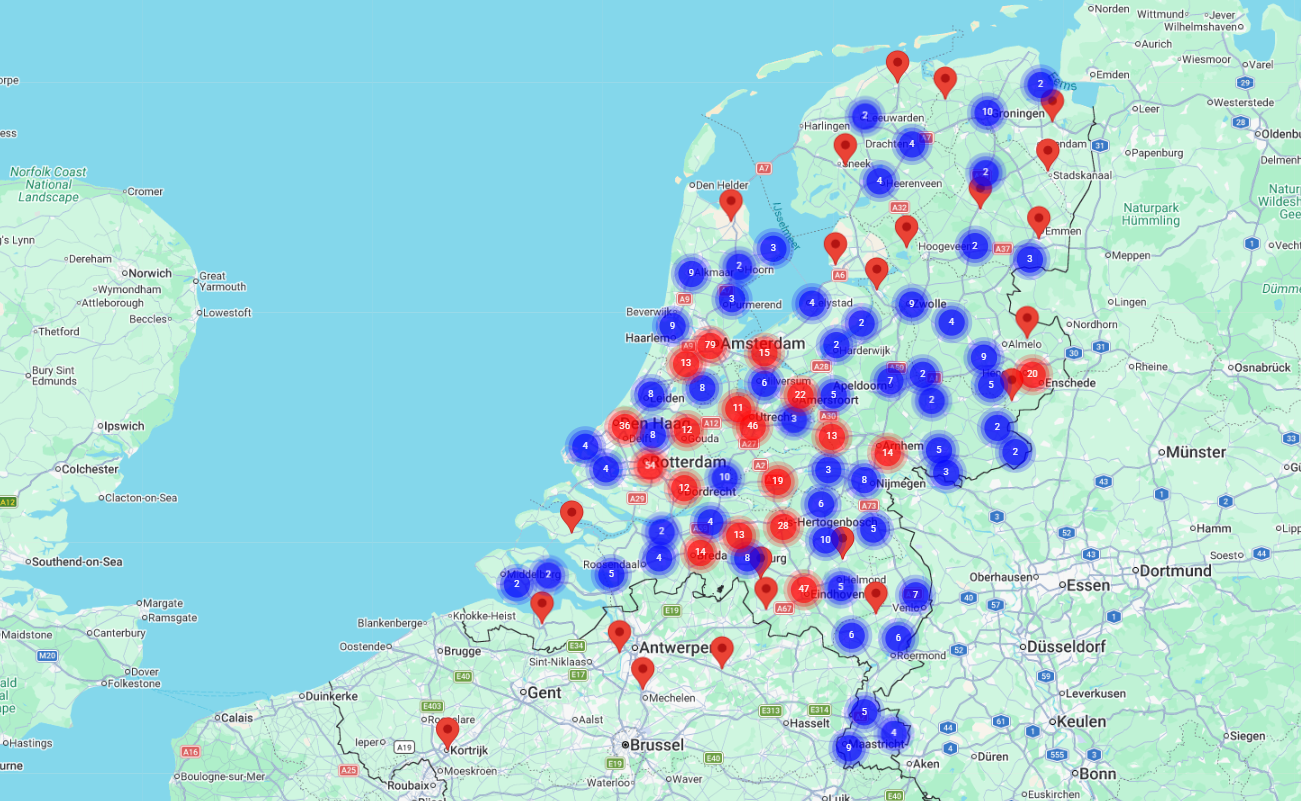
Your CRM data is displayed directly on the map, without the need to export or duplicate any data.
Would you like to see how Geo CRM 365 works within your own environment? Contact us for a demo.
No, there are no hidden costs – you only pay the licence fees as listed in our online store. You can configure the tool entirely yourself, just as you are used to doing in your own CRM system.
Do you have any specific questions about the app? Please contact us.
Yes, you can flexibly scale your licences up or down at any time. If the size of your organisation or your usage changes, your licences can easily change with you, without lengthy procedures.
Need to increase your licence from 5 to 12 users? Simply expand your licence.
Would you like to know how this works for your new situation? Contact us.
Yes, Geo CRM 365 is fully configurable. You decide which data is displayed on the map and how it is presented, without any programming required.
By using different colours, you can also visualise the status of your projects. This allows you to see at a glance where your attention is needed or where opportunities lie.
Need help configuring your map view? Contact us.
Yes, standard support is included. You can always count on our support if you have questions about using Geo CRM 365 or its functionality, at no additional cost.
For example, if you have a question about setting up a filter on the map, we’ll be happy to help you. It’s all included as standard.
Have a question about our support? Contact us.
Yes, we continuously develop and improve the app. Updates are made available automatically and can be used at no additional cost – so you always have access to the latest version, without extra fees or complicated installations.
Curious about the latest developments? Contact us.
Geo CRM 365 is particularly valuable for organisations where location plays an important role in working with customers, leads or projects. This includes sales organisations, field service teams and account managers who need a clearer overview.
Whether you have a small team or a larger organisation, whenever location is relevant to your CRM data, Geo CRM 365 helps you gain insights faster and make better-informed decisions.
Does this sound familiar to your organisation? Contact us.
You can display any CRM data that contains address or location information.
This includes accounts, contacts, leads, opportunities, projects, or custom entities within Dynamics 365 or Power Apps. Using your existing CRM views and filters, you decide exactly which data you want to display on the map.
For example, you can show only the opportunities for the current quarter within a specific region, allowing your sales team to plan more effectively.
Want to know what this means for your CRM data? Contact us.
You can get started within just a few hours. Geo CRM 365 is a ready-to-use app that you can easily install yourself via Microsoft Marketplace and works almost immediately within your existing Dynamics 365 environment.
After installation, you can quickly configure your preferred map view and start visualising your CRM data right away.
Would you like some help with the initial setup? Contact us.
Geo CRM 365 is a Microsoft-certified app that allows you to visualise your CRM data on a map, directly from your CRM system. This gives you an instant overview of where your customers, leads and projects are located, without having to export your data to a separate mapping tool.
For example, a sales manager can immediately see where leads are located and adjust marketing efforts accordingly.
Would you like to see a demo of Geo CRM 365? Contact us.
Yes, because Geo CRM 365 is part of your Microsoft 365 environment, you can also access the map view through the Microsoft 365 app on your mobile device. This gives you instant access to customer locations while on the go, without having to install a separate app.
For example, a field service technician can quickly check which customers are nearby and plan a short visit.
Want to know how this works for your team? Contact us.
Geo CRM 365 is suitable for both small teams and larger organisations with large volumes of customer and lead data. The app is built on Microsoft’s scalable Dataverse platform, ensuring strong performance even with large datasets, without compromising on speed.
Not sure whether Geo CRM 365 is suitable for your data volume? Contact us.
